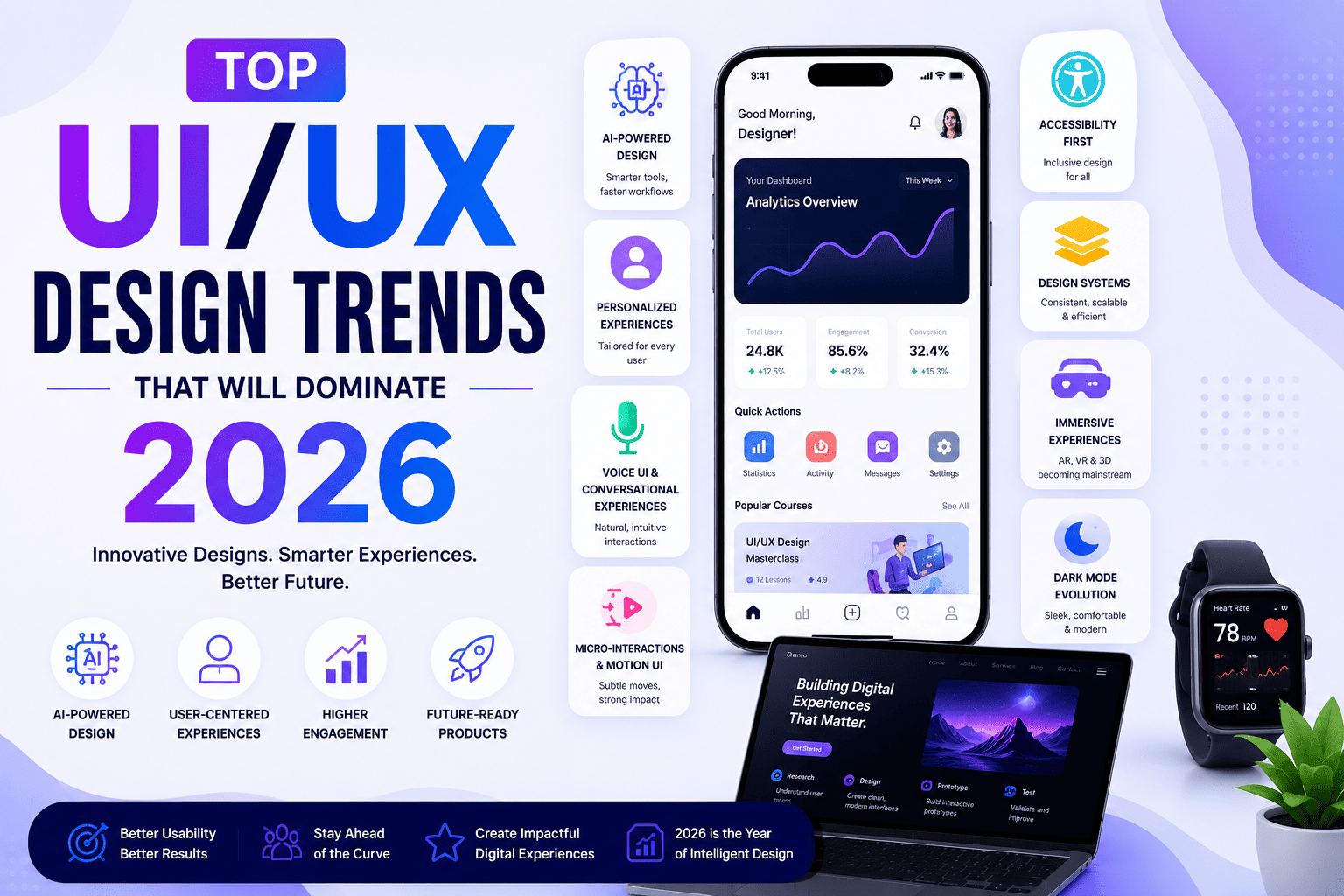
The world of UI (User Interface) and UX (User Experience) design is evolving faster than ever. With Artificial Intelligence (AI), immersive technologies, accessibility standards, and user-centered innovation reshaping digital products, designers must stay ahead of the latest trends to remain competitive.
Whether you’re a UI/UX Designer, graphic designer, web developer, product manager, business owner, or a student planning to join a UI/UX Design Course, understanding these trends will help you build future-ready digital experiences.
This comprehensive guide explores the Top UI/UX Design Trends of 2026, including AI-powered design, personalization, voice interfaces, immersive experiences, accessibility, micro-interactions, design systems, and much more.
Why UI/UX Design Trends Matter
Modern users expect digital products to be:
- Fast
- Beautiful
- Personalized
- Accessible
- Easy to navigate
- Interactive
- Secure
- Consistent across devices
Businesses that adopt modern UI/UX practices often see improved user engagement, higher conversion rates, stronger customer retention, and increased brand trust.
1. AI-Powered UI/UX Design
Artificial Intelligence is becoming an essential part of the design workflow.
Instead of replacing designers, AI helps automate repetitive tasks and enables faster ideation and prototyping.
AI is helping designers with:
- Wireframe generation
- UI suggestions
- Content creation
- Image generation
- Icon creation
- UX research summaries
- User behavior analysis
- Accessibility recommendations
- Rapid prototyping
Popular AI Design Tools
- Figma AI
- Adobe Firefly
- ChatGPT
- Midjourney
- Uizard
- Galileo AI
- Relume AI
- Framer AI
2. Hyper-Personalized User Experiences
Users increasingly expect experiences tailored to their preferences.
Examples include:
- Personalized dashboards
- Product recommendations
- Customized learning paths
- Adaptive layouts
- Smart notifications
- Dynamic content
AI enables interfaces to respond to user behavior in real time, improving satisfaction and engagement.
3. Voice User Interface (VUI)
Voice interaction continues to grow across:
- Smartphones
- Smart speakers
- Cars
- Healthcare devices
- Banking applications
- Smart home products
Designers must consider:
- Voice commands
- Conversational flows
- Audio feedback
- Error recovery
- Multilingual support
4. AI Chatbots & Conversational UX
Modern applications increasingly use conversational interfaces.
Key features include:
- Natural conversations
- Instant customer support
- AI assistants
- Guided onboarding
- Personalized recommendations
- Multilingual communication
Effective conversational UX focuses on clarity, context, and helpful responses.
5. Minimalist Interfaces
Minimalism remains one of the strongest design trends.
Characteristics include:
- Clean layouts
- Large typography
- White space
- Simple navigation
- Reduced clutter
- Focused content
Minimal interfaces improve readability and usability.
6. Advanced Micro-Interactions
Micro-interactions provide subtle feedback that makes interfaces feel responsive.
Examples include:
- Button animations
- Progress indicators
- Success confirmations
- Hover effects
- Swipe animations
- Loading states
These details improve engagement without distracting users.
7. Motion UI
Motion Design improves storytelling and user guidance.
Popular uses include:
- Page transitions
- Screen animations
- Scroll effects
- Interactive onboarding
- Animated icons
- Smooth navigation
Animations should support usability rather than overwhelm users.
8. Dark Mode Evolution
Dark Mode is now a standard feature across many digital products.
Benefits include:
- Reduced eye strain
- Improved battery efficiency on OLED displays
- Modern appearance
- Better readability in low-light environments
Designers should ensure sufficient contrast and accessibility.
9. Accessibility-First Design
Accessibility is no longer optional.
Modern products should support users with different abilities by incorporating:
- Keyboard navigation
- Screen reader compatibility
- High color contrast
- Readable typography
- Alternative text for images
- Clear focus indicators
- Inclusive interaction patterns
Accessible design benefits all users and broadens product reach.
10. Design Systems
Organizations increasingly rely on design systems to ensure consistency.
A design system includes:
- Components
- Typography
- Color palettes
- Icons
- Buttons
- Forms
- Grid systems
- Documentation
Design systems improve efficiency and collaboration across teams.
11. Responsive & Adaptive Design
Users switch between multiple devices throughout the day.
Designs must perform seamlessly on:
- Smartphones
- Tablets
- Laptops
- Desktop computers
- Smart TVs
- Foldable devices
Responsive design remains a core requirement.
12. Data-Driven UX
Design decisions are increasingly informed by analytics.
UX teams analyze:
- User journeys
- Click behavior
- Heatmaps
- Conversion funnels
- Session recordings
- A/B testing
- User feedback
Data helps identify friction points and optimize experiences.
13. Inclusive Design
Inclusive design considers diverse users from the beginning.
This includes designing for:
- Different languages
- Various age groups
- Cultural differences
- Temporary and permanent disabilities
- Diverse technical skill levels
Inclusive experiences improve usability and user satisfaction.
14. Immersive AR & VR Experiences
Augmented Reality (AR) and Virtual Reality (VR) are expanding into:
- Retail
- Education
- Healthcare
- Real estate
- Gaming
- Manufacturing
- Tourism
UI/UX Designers increasingly create immersive interfaces for these platforms.
15. No-Code & Low-Code Product Design
Designers now collaborate more closely with no-code platforms that enable rapid prototyping and product launches.
Benefits include:
- Faster development
- Easier experimentation
- Reduced costs
- Improved collaboration
This trend empowers designers to validate ideas quickly.
16. Glassmorphism & Modern Visual Styles
Glassmorphism continues to influence modern interface aesthetics.
Key characteristics:
- Frosted glass effects
- Transparency
- Soft shadows
- Layered interfaces
- Subtle gradients
When used thoughtfully, these effects add depth without compromising usability.
17. Bento Grid Layouts
Bento-inspired layouts organize content into modular sections.
Advantages include:
- Better content hierarchy
- Flexible responsiveness
- Improved readability
- Modern visual appeal
This layout style is particularly effective for dashboards, portfolios, and SaaS products.
18. Sustainable & Performance-Oriented Design
Performance has become an important aspect of user experience.
Designers optimize for:
- Faster loading times
- Lightweight assets
- Efficient animations
- Reduced energy consumption
- Simplified interfaces
Performance improvements contribute to better engagement and search visibility.
Essential Skills Designers Need in 2026
To stay competitive, UI/UX Designers should develop expertise in:
UI Skills
- Visual Design
- Typography
- Color Theory
- Responsive Design
- Design Systems
UX Skills
- User Research
- Wireframing
- Prototyping
- Information Architecture
- Usability Testing
AI Skills
- Prompt Engineering
- AI-Assisted Design
- Workflow Automation
- Content Generation
Soft Skills
- Communication
- Creativity
- Critical Thinking
- Collaboration
- Problem Solving
Best Tools for UI/UX Designers in 2026
Professional designers commonly use:
- Figma
- Adobe Photoshop
- Adobe Illustrator
- FigJam
- Miro
- Canva
- ChatGPT
- Adobe Firefly
- Uizard
- Relume AI
- Framer
- Maze
Career Opportunities
Keeping up with modern UI/UX trends prepares professionals for roles such as:
- UI Designer
- UX Designer
- Product Designer
- Interaction Designer
- Visual Designer
- UX Researcher
- Design System Specialist
- Mobile App Designer
- Web Designer
- Product Experience Designer
- Freelance UI/UX Consultant
Average Salary of UI/UX Designers in India (2026)
| Experience | Average Annual Salary |
|---|---|
| Fresher | ₹3.5 – ₹6 LPA |
| 2–4 Years | ₹6 – ₹10 LPA |
| 5–8 Years | ₹10 – ₹18 LPA |
| Senior Product Designer | ₹18 – ₹30+ LPA |
| Freelancers | ₹50,000 – ₹3,00,000+ per project |
Compensation varies based on skills, portfolio quality, experience, industry, and location.
How to Stay Updated with UI/UX Trends
To remain industry-ready:
- Practice regularly
- Follow design communities
- Build portfolio projects
- Learn emerging AI tools
- Study accessibility guidelines
- Analyze successful products
- Participate in design challenges
- Seek feedback from mentors
- Keep learning through professional courses
Frequently Asked Questions (FAQs)
1. What is the biggest UI/UX Design trend in 2026?
AI-powered design is among the most influential trends, helping designers automate repetitive tasks, generate ideas, and improve productivity while maintaining human-centered decision-making.
2. Is Figma still the leading UI/UX tool?
Yes. Figma remains one of the most widely adopted platforms for collaborative UI/UX design, prototyping, and design systems.
3. Are design systems important?
Absolutely. Design systems ensure consistency, scalability, and efficient collaboration across teams and digital products.
4. Should beginners learn AI tools?
Yes. Learning AI-assisted design tools alongside core UI/UX principles can improve efficiency and prepare beginners for modern workflows.
5. Is accessibility a trend or a necessity?
Accessibility is a fundamental requirement for creating inclusive, user-friendly digital experiences and should be integrated into every design process.
6. Will AI replace UI/UX Designers?
No. AI supports designers by automating repetitive work, but human creativity, empathy, strategic thinking, and problem-solving remain essential.
7. Which industries hire UI/UX Designers?
Technology, fintech, healthcare, education, e-commerce, banking, gaming, media, travel, and government digital initiatives all hire UI/UX professionals.
8. What skills should beginners focus on?
Beginners should learn UI fundamentals, UX research, wireframing, prototyping, responsive design, accessibility, design systems, and Figma before exploring advanced AI workflows.
9. Is Motion UI important?
Yes. Thoughtful animations and transitions improve usability, provide feedback, and create more engaging digital experiences.
10. Why should businesses follow UI/UX trends?
Adopting modern UI/UX practices can improve customer satisfaction, increase conversions, strengthen brand loyalty, and enhance the overall effectiveness of digital products.
Conclusion
The future of UI/UX Design in 2026 is shaped by the convergence of AI-powered workflows, accessibility-first thinking, personalized user experiences, design systems, and immersive technologies. Designers who combine strong visual skills with user research, empathy, and emerging technologies will be well-positioned for long-term success.
For students, professionals, and businesses alike, staying current with these trends is essential to creating digital products that are intuitive, engaging, and future-ready. Enrolling in a comprehensive UI/UX Design Course that includes AI tools, real-world projects, portfolio development, and industry best practices can provide the skills needed to thrive in this rapidly evolving field.