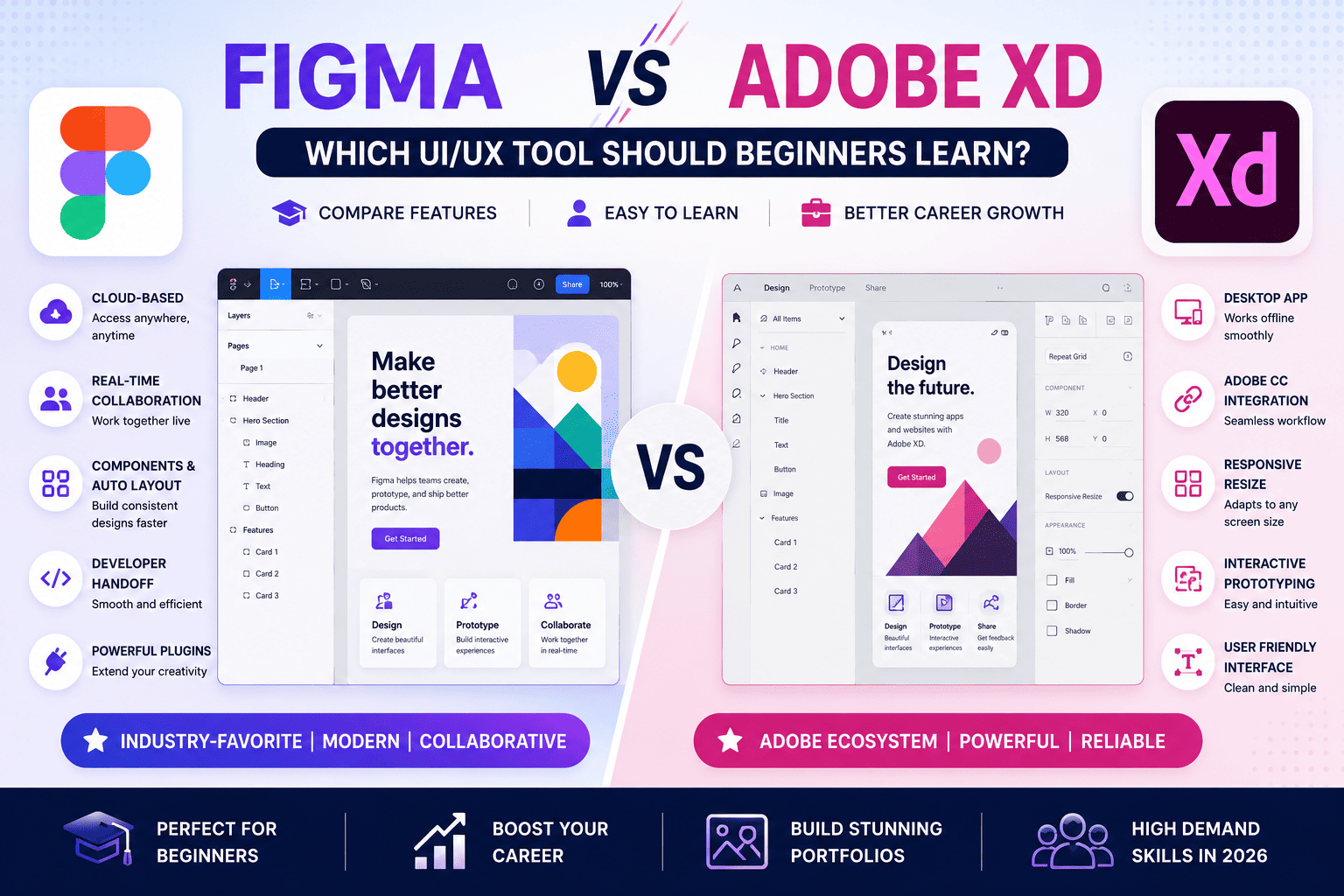
Choosing the right UI/UX design tool is one of the first and most important decisions for aspiring designers. Two of the most recognized platforms are Figma and Adobe XD. While both tools have been widely used for designing websites, mobile apps, and interactive prototypes, their current market adoption, collaboration capabilities, and future prospects differ significantly.
If you’re a student after 10th or 12th, a college graduate, a graphic designer, a web developer, or someone planning to start a career in UI/UX Design, this guide compares Figma vs Adobe XD in detail. We’ll explore features, ease of learning, collaboration, pricing, AI capabilities, career opportunities, and which tool beginners should learn in 2026.
What is Figma?
Figma is a cloud-based UI/UX design and prototyping platform used for designing websites, mobile applications, dashboards, SaaS products, and collaborative digital interfaces.
It enables designers, developers, product managers, and clients to work together in real time from any device.
Key Features of Figma
- Cloud-based platform
- Real-time collaboration
- Interactive prototyping
- Auto Layout
- Design Systems
- Components & Variants
- Developer Handoff
- Version History
- Team Libraries
- AI-assisted features and plugins
- Browser-based access (no installation required)
What is Adobe XD?
Adobe XD is a UI/UX design and prototyping tool developed for creating website layouts, mobile app interfaces, wireframes, and prototypes.
It integrates with other Adobe Creative Cloud applications such as Photoshop and Illustrator, making it useful for designers already working within the Adobe ecosystem.
Key Features of Adobe XD
- Interface Design
- Wireframing
- Interactive Prototyping
- Repeat Grid
- Responsive Resize
- Voice Prototyping
- Adobe Creative Cloud Integration
- Plugin Support
- Component States
Figma vs Adobe XD: Quick Comparison
| Feature | Figma | Adobe XD |
|---|---|---|
| Platform | Cloud-Based | Desktop-Based |
| Collaboration | Real-Time | Limited Collaboration |
| Installation | Not Required | Required |
| Browser Support | Yes | No |
| Auto Layout | Excellent | Basic |
| Components | Advanced | Good |
| Prototyping | Excellent | Good |
| Design Systems | Excellent | Good |
| Developer Handoff | Excellent | Good |
| Team Collaboration | Outstanding | Moderate |
| Learning Curve | Easy | Easy |
| AI Integration | Growing Ecosystem | Limited |
| Industry Adoption | Very High | Reduced Adoption |
Why Figma is the Industry Standard in 2026
Figma has become the preferred platform for startups, product companies, agencies, and enterprise teams because of its collaborative workflow and cloud-first architecture.
Advantages of Figma
- Work from any computer with internet access
- Collaborate in real time with teammates
- No file-sharing confusion
- Automatic cloud saving
- Extensive plugin ecosystem
- Excellent design system support
- Cross-platform compatibility
- Strong community resources
- Continuous feature updates
- AI-powered productivity enhancements
Strengths of Adobe XD
Adobe XD remains useful for designers who already rely heavily on Adobe Creative Cloud.
Its strengths include:
- Familiar interface for Adobe users
- Smooth integration with Photoshop and Illustrator
- Easy wireframing
- Responsive Resize
- Repeat Grid functionality
- Clean workspace for beginners
However, compared to Figma, Adobe XD has seen slower feature development and lower adoption across many design teams.
Ease of Learning
Figma
Beginners often find Figma intuitive because:
- It runs in a web browser
- The interface is clean
- Tutorials are widely available
- Community templates simplify learning
- Collaboration encourages faster feedback
Learning Time
Basic proficiency can be achieved in 2–4 weeks with consistent practice.
Adobe XD
Adobe XD also offers a beginner-friendly interface, especially for users familiar with Adobe software.
Learning Time
Most beginners become comfortable within 2–4 weeks.
Collaboration Comparison
Figma
- Live collaboration
- Multi-user editing
- Shared libraries
- Instant comments
- Team workspaces
- Cloud synchronization
Ideal for remote teams and collaborative projects.
Adobe XD
- Shared prototypes
- Design review links
- Limited collaborative editing
More suitable for individual designers than large distributed teams.
Prototyping Features
Figma
- Smart Animate
- Interactive Components
- Variables
- Conditional Prototypes
- Responsive Prototypes
- Overlay Support
Adobe XD
- Auto Animate
- Voice Prototypes
- Interactive Links
- Basic Transitions
Both tools support prototyping, but Figma offers greater flexibility for modern product design workflows.
Plugins and Community
Figma
Figma provides access to thousands of community resources, including:
- UI Kits
- Icon Packs
- Wireframe Templates
- Mockups
- Illustrations
- AI Plugins
- Accessibility Tools
- Design Systems
Its active community accelerates learning and productivity.
Adobe XD
Adobe XD supports plugins but offers a smaller ecosystem compared to Figma.
AI Features in 2026
AI is reshaping UI/UX design by automating repetitive tasks and enhancing creativity.
Figma
Supports AI-powered workflows through native capabilities and plugins for:
- Wireframe generation
- Content suggestions
- Design assistance
- Layout optimization
- Image generation
- Accessibility improvements
Adobe XD
Offers fewer AI-driven features and relies more on integrations within the Adobe ecosystem.
Performance
Figma
- Fast cloud performance
- Automatic updates
- Cross-platform compatibility
- Efficient collaboration
Adobe XD
- Good desktop performance
- Stable for individual projects
- Requires software installation and updates
Which Tool Do Companies Prefer?
Many organizations now standardize on Figma for product design because it simplifies collaboration across design, development, and product teams.
Companies hiring UI/UX Designers often expect candidates to be proficient in:
- Figma
- Design Systems
- Auto Layout
- Interactive Prototyping
- Developer Handoff
Knowledge of Adobe Photoshop and Illustrator remains valuable for image editing and graphic asset creation.
Which Tool is Better for Beginners?
Choose Figma if you want:
- Better job opportunities
- Industry-standard workflows
- Collaborative projects
- Remote team experience
- Modern UI/UX design practices
- Extensive learning resources
- AI-assisted design capabilities
Choose Adobe XD if you:
- Already use Adobe Creative Cloud extensively
- Work mainly on solo projects
- Need tight integration with Photoshop and Illustrator
Career Opportunities After Learning Figma
Learning Figma prepares you for roles such as:
- UI Designer
- UX Designer
- Product Designer
- Interaction Designer
- Visual Designer
- Design System Specialist
- Mobile App Designer
- Web Designer
- UX Research Assistant
- Freelance UI/UX Designer
Salary After Learning Figma (India – 2026)
| Experience | Average Salary |
|---|---|
| Fresher | ₹3.5 – ₹6 LPA |
| 2–4 Years | ₹6 – ₹10 LPA |
| 5–8 Years | ₹10 – ₹18 LPA |
| Senior Product Designer | ₹18 – ₹30+ LPA |
| Freelance Projects | ₹50,000 – ₹3,00,000+ per project |
Actual compensation depends on your portfolio, skills, experience, location, and employer.
How to Learn Figma Effectively
A structured learning path includes:
- Learn UI Design fundamentals
- Understand UX principles
- Practice wireframing
- Build responsive layouts
- Create interactive prototypes
- Learn Auto Layout
- Master Components & Variants
- Build Design Systems
- Complete real-world projects
- Develop a professional portfolio
Tips for Beginners
- Practice daily
- Recreate popular app interfaces
- Study modern design trends
- Learn accessibility principles
- Explore community templates
- Build complete case studies
- Learn basic UX research
- Seek feedback from mentors
- Stay updated with AI design tools
Frequently Asked Questions (FAQs)
1. Is Figma better than Adobe XD in 2026?
For most beginners and professional teams, Figma is the preferred choice due to its cloud-based collaboration, strong community, modern features, and widespread industry adoption.
2. Should beginners learn Figma first?
Yes. Figma is beginner-friendly, widely used in the industry, and provides an excellent foundation for UI/UX Design.
3. Is Adobe XD still worth learning?
Adobe XD can still be useful for designers working within the Adobe ecosystem, but many organizations have shifted their primary workflows to Figma.
4. Can I get a UI/UX job by learning only Figma?
Figma is an essential skill, but employers also value UX research, wireframing, prototyping, design systems, accessibility, and a strong portfolio.
5. Do I need coding to learn Figma?
No. Figma is a design tool and does not require programming knowledge, though basic HTML and CSS can improve collaboration with developers.
6. Is Figma free?
Figma offers a free plan with sufficient features for individual learners and beginners, alongside paid plans for teams and advanced collaboration.
7. Which tool do companies use most?
Many startups, product companies, agencies, and enterprise teams primarily use Figma for collaborative UI/UX design and prototyping.
8. How long does it take to learn Figma?
Most beginners can gain basic proficiency in 2–4 weeks, while mastering advanced workflows and portfolio-ready projects may take several months of consistent practice.
9. Can I freelance after learning Figma?
Yes. Many freelancers use Figma to design websites, mobile apps, landing pages, SaaS dashboards, and design systems for clients worldwide.
10. Should I learn Photoshop along with Figma?
Yes. Photoshop complements Figma by providing advanced image editing, photo manipulation, and graphic asset creation skills.
Conclusion
For aspiring UI/UX Designers in 2026, Figma is the stronger choice due to its collaborative features, browser-based workflow, powerful prototyping capabilities, growing AI ecosystem, and widespread industry adoption. It aligns well with modern product design practices and is widely expected by employers.
That said, Adobe XD still has value for designers already invested in the Adobe Creative Cloud ecosystem or working on specific legacy projects. The most versatile designers often combine Figma for interface design with Adobe Photoshop and Adobe Illustrator for advanced graphics and visual assets.
If you’re starting your UI/UX journey, focus on learning Figma, build real-world projects, create a compelling portfolio, and develop strong UX problem-solving skills. These abilities will position you for a successful career in UI/UX Design.